When we started MutaRift, every enemy was a colored rectangle. The slime? A green square. The bat? A purple square. Functional, but not exactly charming.
This week, we gave our first enemy an actual face.
▸ Meet the Slime
The slime is the very first monster you encounter in MutaRift. It's slow, squishy, and has a habit of following you around like a lost puppy — a very aggressive lost puppy that deals 3 damage on contact.
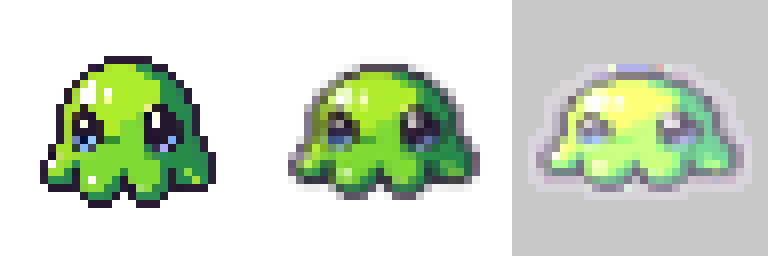
Slime spritesheet — idle, bounce, and hit frames
We generated the base frame using PixelLab's text-to-pixel-art API, then created the bounce and hit variations with ImageMagick transforms. The result: a 3-frame spritesheet (idle, squish-bounce, hit-flash) at 32x32 pixels each.
▸ The Sprite Overlay System
Rather than rewriting the entire Enemy class (which handles physics, HP bars, capture mechanics, and AI for 15 enemy types), we built a sprite overlay system. When a sprite texture exists for an enemy type, it layers on top of the invisible physics rectangle. All visual effects — hit flash, capture blink, enrage tint — work through the sprite's tint system.
This means we can add sprites to enemies one at a time without breaking anything. No sprite? You get the classic colored rectangle. Got a sprite? Smooth pixel art with proper animations.
▸ Before & After
The difference is night and day. What was a flat green square now bounces, squishes on hit, and blinks yellow when it's ready to be captured.
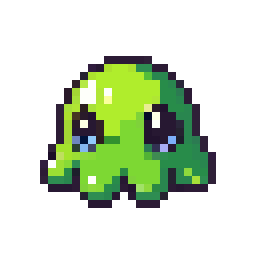
The slime — 32x32 pixel art
▸ What's Next
With the sprite system in place, we're moving on to the bat and golem next. The goal for this coming week: 3 enemy sprites done and in-game. Then we tackle bosses.
Follow our progress:
• Discord: https://discord.gg/W5RXtZSBfv
• X: https://x.com/MutaRift
• Instagram: https://instagram.com/themovedmover